
Warehouse mobile device text colors some additional notes on setup
If you are looking to setup the warehouse mobile device portal in a post the other day we had a look of changing the text colors from the application. Below […]
If you are looking to setup the warehouse mobile device portal in a post the other day we had a look of changing the text colors from the application. Below […]

In a post the other day we had a look at adding some color to the warehouse mobile device portal. If you are trying to make the user interface more […]

In a previous post we looked at the basic label color display for the warehouse mobile device. If you wanted to do something more advanced then you can edit the […]
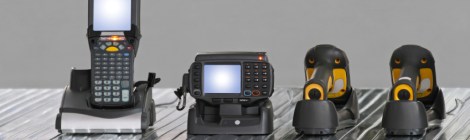
The standard warehouse mobile device portal in R3 is functional but maybe you might want to have a little bit of color in the screen, Perhaps for the error messages. […]

When you are working in the warehouse there are often issues that you need to correct because the physical environment change, the shipment wasn’t supposed to go, the inventory wasn’t […]

If you are managing waves and there is common patterns of the types of shipments that you add to waves manually then you can setup wave filters. This will let […]
In a previous post we had a look at doing an adjustment journal with non-wms stock. If you are using advanced warehouse in R3 you can use the mobile device […]

If you are setting up a wave template you could use wave attributes to help you fitler waves that you manage. You can set them up on the wave template […]

When working with waves, one of the options you have is to allow a wave to be open and collect orders over a period of time. Then when you are […]

When entering a sales order you have the ability to split a line into a delivery schedule. If you are also working with advanced warehouse then you will be able […]
 OrganicAX